 ultimate-guide
How to Choose a Fitness Tracker for Beginners
Table of Contents
- Start With Your Fitness Goals, Not the Gadget
- Fitness Tracker vs Smartwatch Differences: Which Fits Your Life?
- Essential Fitness Tracker Features for Beginners
- Fitness Tracker Subscription Costs: What You Actually Pay For
- How to Set Up a New Fitness Tracker Without the Headaches
- Common Beginner Mistakes and What to Ignore
- Conclusion: Your First Fitness Tracker Awaits
- Frequently Asked Questions
Last Updated: September 7, 2026
Choosing a fitness tracker for beginners starts with a single honest question: what are you actually trying to measure? A fitness tracker is a wrist-worn device that monitors activity, sleep, and heart rate. We recommend starting with your objectives before comparing specs. Below, we walk through a decision framework to help pair beginners with the right device.
Start With Your Fitness Goals, Not the Gadget
Most beginners buy a tracker because they want to "get more active," which is too vague to guide a purchase. Instead, define one or two measurable outcomes for the next 90 days: training for a 5K, increasing daily step count, or improving sleep quality.
Your goal determines which sensors matter. A step counter and basic heart rate monitor serve a general wellness goal. Distance runners need built-in GPS; someone focused on recovery might prioritize heart rate variability and a recovery score. Write your goal down and use it to filter options before looking at display sizes or colors.
Fitness Tracker vs Smartwatch Differences: Which Fits Your Life?
The core fitness tracker vs smartwatch differences come down to battery life, screen type, and feature depth. Fitness trackers prioritize long battery longevity and continuous health monitoring. Smartwatches add full app ecosystems, cellular connectivity, and interactive touchscreens, but typically require daily or every-other-day charging.
For most beginners, a dedicated tracker is the better first purchase because it removes distractions. You get activity tracking, sleep stages, and smartphone synchronization without the temptation to check messages mid-workout. If you rely on your watch for contactless payments or want to leave your phone at home during runs, a smartwatch might justify its shorter battery life.
Essential Fitness Tracker Features for Beginners
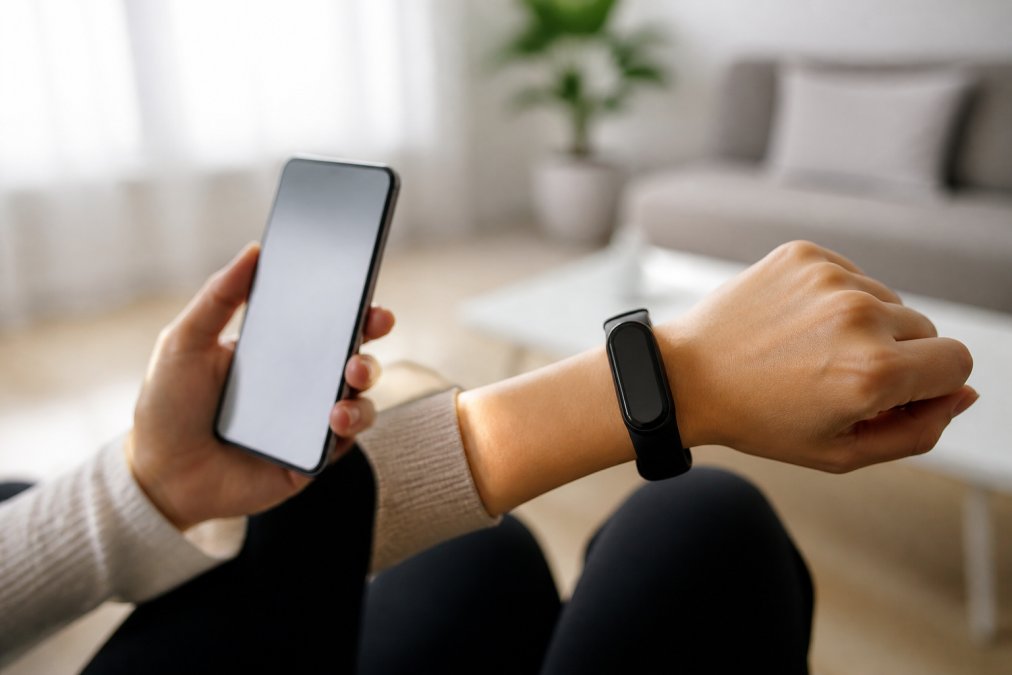
A beginner-friendly fitness tracker needs four core capabilities: accurate step count, reliable heart rate monitoring, sleep tracking, and smartphone notifications. Everything else is negotiable. But "accurate" and "reliable" mean different things at different price points.
Accuracy of Sensors and Data Tracking
Sensor accuracy is not a single spec; it is a set of trade-offs. Step counting relies on a 3-axis accelerometer. Most modern trackers from major brands (Garmin, Fitbit, Apple, Samsung) are within 5-10% of a reference pedometer for steady walking, but the error grows with pushing a shopping cart or doing upper-body work. If you do those activities regularly, look for a device that lets you log them manually.
Optical heart rate (HR) sensors use green or red LEDs to measure blood flow through the skin. Green LEDs work well for most skin tones, but red or infrared LEDs are added in some premium devices to improve accuracy during exercise and for darker skin tones. For steady-state cardio, most wrist sensors are within 5-10 beats per minute of a chest strap. For HIIT or heavy weightlifting, wrist-based HR can lag by 20-30 bpm because of motion artifact. If you plan structured intervals, consider a tracker that supports an external chest strap (like Garmin's HRM series or Polar's H10).
Sleep tracking is the least standardized metric. Most trackers estimate sleep stages using movement and heart rate variability. A 2023 study in the journal Sleep found consumer wearables agree with polysomnography on total sleep time within about 30 minutes, but stage-by-stage agreement is far weaker (PubMed). For beginners, the most useful sleep metric is consistency of sleep duration and resting heart rate trend, not specific minutes of REM.
Calorie burn is an estimate derived from heart rate, movement, and your profile (age, weight, height, sex). The error can be 20-40% even on premium devices. Treat it as a relative trend, not an absolute number.
Battery Life and Charging Requirements
Battery longevity is the feature beginners underestimate most. A tracker that needs charging every day quickly becomes a device you forget to wear. Here is the realistic landscape as of 2026:
- Basic trackers (e.g., Fitbit Inspire 3, Garmin Vivosmart 5): 7-10 days of battery life. These use small, low-resolution screens and minimal processing.
- Mid-range trackers (e.g., Garmin Venu Sq 2, Fitbit Charge 6): 5-7 days with always-on display off, 2-3 days with always-on display enabled.
- AMOLED smartwatch-style trackers (e.g., Garmin Venu 3, Samsung Galaxy Watch 6): 2-4 days depending on display settings and GPS usage.
- Full smartwatches (e.g., Apple Watch Series 9, Pixel Watch 2): 18-36 hours; you will charge daily or every other day.
Charging time matters too. A quick charge that delivers several days of power in 15-30 minutes is worth prioritizing. Garmin's proprietary charging cables are notoriously finicky; Fitbit uses a magnetic pin connector that is easier to align. Check whether the charger is proprietary or USB-C.
Design, Comfort, and Wearability
You will wear this device for most of the day and night, so comfort is not a luxury. The weight and profile matter more than the screen size. A tracker that is 20-30 grams (like the Fitbit Inspire 3 at 26 g) disappears on the wrist; a 50+ gram smartwatch is noticeable during sleep and can interfere with wrist flexion during push-ups or yoga.
Band material is a hygiene and comfort decision:
- Silicone/fluoroelastomer: Best for sweat and swimming; can cause contact dermatitis in ~10% of users, especially during sleep when the band stays wet. Wash with mild soap daily if you wear it 24/7.
- Nylon/woven: Breathable and comfortable for sleep; absorbs sweat and odor; requires regular washing and takes hours to dry.
- Leather/metal: Not for workouts; fine for daily wear if you swap bands.
Look for a quick-release band system (standard 20mm or 22mm pins) so you can swap bands for different activities. The display should be readable in direct sunlight; transflective displays (like Garmin's MIP screens) excel outdoors but are dim indoors, while AMOLED screens are bright indoors but can wash out in harsh sun unless they have high nits (1000+).
Display and Interaction: What Beginners Actually Need
A touchscreen is not always better. Capacitive touchscreens fail when wet, and many trackers require precise swipes. Physical buttons (like the side button on the Fitbit Charge 6 or the Garmin Vivosmart 5) let you pause workouts or dismiss notifications without looking at the screen. If you exercise outdoors in rain or wear gloves in winter, a physical button is a practical necessity.
Screen readability in direct sunlight is a common pain point. A 2026-era tracker should have at least 500 nits of brightness for outdoor visibility; premium AMOLED displays reach 1000-1500 nits. If you run at dawn or dusk, a backlight that activates on wrist raise is essential.
Fitness Tracker Subscription Costs: What You Actually Pay For
Fitness tracker subscription costs are the hidden expense most guides ignore. The upfront price of the hardware is only half the story; the total cost of ownership over 2-3 years can double or triple your investment. Here is the landscape as of late 2026.
Which Brands Charge and What You Lose Without Paying
Fitbit (now Google): The Fitbit app is free for core metrics, steps, heart rate, sleep duration, and basic workout logs. Fitbit Premium costs $9.99/month or $79.99/year and unlocks the Daily Readiness Score, deeper sleep stage analysis, stress management trends, and personalized guided programs. Without Premium, you still get essential data, but "readiness" and "stress" scores are locked. The free trial is 6 months with new device purchase.
Garmin: Garmin does not require a subscription for any core feature. All metrics, including Body Battery, Training Readiness, sleep scores, and detailed workout analysis, are free in the Garmin Connect app. Garmin offers optional paid services like Garmin Coach premium plans or music streaming integration, but the tracker's full health analytics are never paywalled.
Apple: The Apple Watch does not require a subscription for health tracking. The Fitness app is free, and Apple Fitness+ ($9.99/month or $79.99/year) is an optional workout video service, not a data unlock. All health metrics, heart rate, sleep stages, VO2 max estimates, are free.
Samsung: Galaxy Watch health tracking is free via Samsung Health. Samsung's subscription is tied to Samsung Health Plus and is not required for core metrics. However, some advanced sleep coaching features have been rolled into a premium tier in recent software updates.
Whoop and Oura: These are subscription-first models. Whoop charges $30/month (or $239/year) with the hardware included. Oura charges $5.99/month after the first 6 months free; without the subscription, the Oura Ring shows only the three core scores (Readiness, Sleep, Activity) but hides detailed breakdowns and trends.
The Total Cost of Ownership Math
Here is what a 2-year cost comparison looks like for a beginner who wants sleep tracking, heart rate, and step counting:
- Fitbit Inspire 3 ($99.95 upfront) + Fitbit Premium ($79.99/year) = $259.93 over 2 years
- Garmin Vivosmart 5 ($149.99 upfront) + no subscription = $149.99 over 2 years
- Oura Ring Gen 3 ($299 upfront) + subscription ($71.88/year) = $442.76 over 2 years
- Apple Watch SE ($249 upfront) + no subscription = $249 over 2 years
Over 3 years, the gap widens. A $99 tracker with a $79.99/year subscription costs more than a $149 tracker with no subscription by year two. The subscription is not inherently bad, it funds ongoing software development, but you should know what you are buying.
Questions to Ask Before You Buy
- Is the subscription required for basic syncing or only for advanced insights? Some budget trackers (especially no-name brands on Amazon) require a subscription just to view your daily step history beyond 7 days. That is a red flag.
- What happens when the free trial ends? Does the device become less useful, or do you just lose access to trend reports? If the trial unlocks features that become locked, expect a psychological downgrade at day 30.
- Can you export your data? If you cancel the subscription, can you download your historical data in a usable format (CSV, JSON)? Some platforms lock your health history behind the paywall.
- Does the subscription auto-renew? Most do. Set a calendar reminder to cancel before the trial ends if you are not committed.
The No-Subscription Shortlist for Beginners
If you want zero recurring costs, these are your best options as of late 2026:
- Garmin Vivosmart 5 (~$149): Full health tracking, no paywall, 7-day battery.
- Garmin Forerunner 55 (~$199): GPS running watch with all advanced metrics free.
- Apple Watch SE (~$249): Free health app, excellent accuracy, daily charging required.
- Amazfit Band 7 (~$45): Budget option with free Zepp app; accuracy is decent for steps and sleep, weaker for heart rate during intervals.
A tracker priced competitively but requiring a mandatory subscription for basic syncing is a poor value. Consider the total cost of ownership over two years, not just the upfront price. Free alternatives like manual logging or basic companion apps may cover your needs if you only want step count and heart rate, but if you want trend analysis and readiness scores, budget for the subscription from day one.
How to Set Up a New Fitness Tracker Without the Headaches
Setting up a new fitness tracker typically takes under thirty minutes, but a few steps prevent early frustration. First, fully charge the device before pairing. Second, install the companion app and create an account before you attempt to connect the tracker.
Input accurate personal data during setup. Your height, weight, age, and sex calibrate calorie burn estimates and activity intensity calculations. Incorrect baseline data produces misleading metrics. After pairing, customize your activity profiles and set daily step goals that match your current baseline. Finally, enable smartphone synchronization and notification permissions.
Common Beginner Mistakes and What to Ignore
Beginners often abandon their tracker within weeks because they chase perfect data instead of trends. Ignore daily fluctuations in step count and calorie burn. Watch the weekly and monthly patterns instead.
Another common mistake is over-relying on the tracker's numbers as absolute truth. Consumer wearable technology provides estimates, not clinical measurements (the NIH). The National Institutes of Health guidance on consumer wearables notes that these devices are useful for spotting trends but should not replace professional medical advice. Use the data to inform your habits, not to diagnose problems.
Data privacy deserves attention before you commit to an ecosystem. Review what data the manufacturer collects, how it is stored, and whether you can export or delete your history. A tracker that locks your health data into a proprietary platform limits your long-term flexibility.
Conclusion: Your First Fitness Tracker Awaits
The right fitness tracker for beginners balances essential features, honest battery life, and a subscription model that respects your budget. Start with your goal, filter by the features that serve it, and ignore the marketing noise about advanced metrics you will not use. NovexaTech LLC offers a curated selection of smart health trackers designed to enhance your modern lifestyle. Explore the collection and choose a tracker that keeps you moving.
Frequently Asked Questions
How do I know if I need a fitness tracker or a smartwatch?
Ask what matters more: battery life and simplicity, or apps and calls. A fitness tracker prioritizes activity tracking, step count, and sleep stages, often lasting a week or more on a charge. A smartwatch adds smartphone synchronization, smart notifications, and apps. If you want to leave your phone in your pocket during a run, choose a fitness tracker. If you need to reply to messages from your wrist, a smartwatch suits you better.
What features should a beginner look for in a fitness tracker?
Focus on the essentials: accurate step count, calorie burn, heart rate monitoring, sleep stages, and smartphone synchronization. Check the water resistance rating if you plan to swim. Look for a comfortable, ergonomic design you will wear daily. Ignore advanced metrics like VO2 max or blood oxygen saturation at first. A clear user interface and simple data visualization in the companion app matter more than a long list of biometric sensors.
Do fitness trackers require a monthly subscription?
No, most fitness trackers work fully without one. The core features, including activity tracking, heart rate monitoring, and sleep stages, are available in the companion app at no cost. Some brands offer premium tiers with subscription-based insights, deeper analysis, or personalized coaching. Before you buy, check what the free app includes. The fitness tracker subscription costs can add $5 to $15 per month, so factor that into your budget if the advanced insights appeal to you.
What is the simplest fitness tracker for someone new to technology?
Look for a tracker with a simple setup process, a clear companion app, and an easy-to-read display. The best options have a step-by-step guide for how to set up a new fitness tracker, including pairing via Bluetooth and syncing your data. Avoid models with complex menus or overwhelming data. Prioritize a comfortable band and a battery that lasts several days. The goal is a device you forget you are wearing, not one you need a manual to operate.
How much should a beginner expect to spend on a fitness tracker?
You can find a reliable, accurate fitness tracker without spending a lot. Expect to pay more for a color display, built-in GPS, or advanced sensors. The price often reflects build quality, brand, and extra features. Remember that the most expensive option is rarely the best for a beginner. Start with a model that covers essential fitness tracker features, and upgrade later if you find you need advanced metrics or longer battery longevity.
Which fitness tracker is most accurate?
No tracker is 100% accurate, but most modern devices are consistent enough for everyday use. Step count and heart rate are generally reliable. Calorie burn is an estimate, not a precise measurement. For GPS accuracy, a built-in GPS receiver will be more accurate than one that relies on your phone. Check independent reviews that test devices on a treadmill or a measured course to see how specific models compare.